
Choosing a secret photo app for iPhone: disguise vs real encryption
Written for iPhone users comparing secret photo apps on the App Store who want both low-profile discretion and real file encryption
Short answer
A 'secret photo app' on iPhone can mean two very different things: an app that hides its icon or pretends to be a calculator on your Home Screen, or an app that cryptographically encrypts every photo and video on your device with a key derived from your secret. Visual disguise stops someone glancing at your Home Screen from asking questions, while on-device encryption is what stops someone with your iPhone passcode, backup folder or email inbox from reading your files.
On this page
Type “secret photo app” into the iPhone App Store and you will find dozens of apps promising to be invisible: fake calculators, fake note pads, fake currency converters and fake flashlights.
Before you trust any of them with photos you care about, separate the outer cover (how the app looks on your Home Screen) from the inner vault (how the app stores your bytes on flash memory). An app that nails the outer cover and skips the inner encryption leaves your photos sitting as plain JPEGs inside its folder.
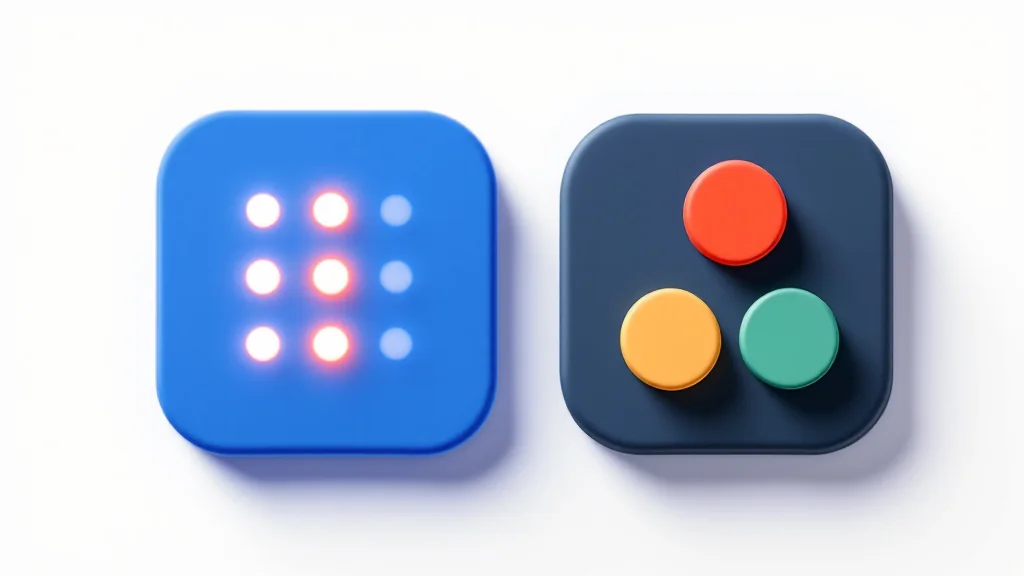
Disguise vs Encryption: what each layer actually stops
What iOS lets an app hide, and what iOS always reveals
It helps to be completely honest about the rules Apple enforces on every App Store app on an iPhone:
| Question | What is true on iOS |
|---|---|
| Can an app change its Home Screen icon? | Yes. Apps can include alternate icons (such as a Calculator, Weather or Notes icon) that you switch inside the app’s settings. |
| Can an app show a working calculator when opened? | Yes. Until you type your opener code and press =, the app works as a normal calculator. |
| Can you hide the app from the Home Screen entirely? | Yes, on iOS 18 and later: long-press the app icon and tap Require Face ID > Hide and Require Face ID (Apple Personal Safety Guide). |
Can any app hide itself from Settings > General > iPhone Storage or App Store purchase history? | No. Apple’s operating system lists every installed app and its storage size inside iPhone Settings, Screen Time and your App Store account. |
| How do you handle someone who sees the app in Settings and asks you to open it? | That is why separate vaults per pattern (a Guest Vault) beats relying on an icon disguise alone: you can open the app in front of them with your guest pattern and show a harmless album of travel or receipt photos. |
How to audit any iPhone secret photo app in four steps
Before importing personal photos into an App Store vault app, run this two-minute check on its listing and settings:
- Scroll down the App Store page to the App Privacy card: if Data Used to Track You or Data Linked to You lists advertising identifiers, location or contact info, the app bundles third-party ad or tracking SDKs inside the vault.
- Check whether the app forces you to create an email account or lets you start offline immediately; an offline vault with a 12-word recovery phrase cannot be hijacked via an email password reset.
- Read the developer’s security documentation to confirm that files and thumbnails are encrypted on the device with a named key derivation function and authenticated cipher, rather than merely hidden inside an app folder.
- Check how the app handles device backups: a real vault excludes its encrypted storage from unencrypted iTunes/Finder backups and provides its own encrypted backup file for switching phones.
You can compare how the major iPhone vault apps score on these exact checks in our best photo vault apps guide and test the strength of your unlock pattern or PIN in our unlock strength calculator.
Questions
Can I hide any photo vault app completely on iPhone in iOS 18 and later?
You can touch and hold any App Store app icon and choose Require Face ID > Hide and Require Face ID to move it out of your Home Screen into the Hidden folder in App Library. However, Apple notes that the app name can still appear in Settings > Apps > Hidden Apps, iPhone Storage, Screen Time and App Store purchase history.
Does changing a vault app’s icon to a Calculator or Weather icon hide its name under the icon?
On iOS, Apple’s alternate-icon API changes the artwork of the Home Screen tile while keeping the app’s bundle display name underneath the icon, whereas inside the app a full-screen working calculator cover can require an opener code before showing the vault unlock screen.
Why do some 'secret photo apps' ask for my email address on first launch?
Account-based vault apps use your email for subscription marketing, cloud storage and email PIN resets. That also links your identity to a photo vault account and means anyone with access to your email inbox can request a PIN reset.
What is better for a secret photo app: a 4-digit PIN or a pattern?
A 4-digit PIN has only 10,000 possible combinations (0000 to 9999). A 6-dot pattern on a 5x5 grid has 19,174,112 valid combinations, and an 8-dot pattern has over 3.4 billion, while still taking one second to draw from muscle memory.
Can a secret photo app hide the fact that it is installed from someone inspecting iPhone Settings?
No app on an un-jailbroken iPhone can hide its entry from Settings > General > iPhone Storage or your App Store purchase history. What a well-built vault CAN hide is how many vaults exist inside it and what is encrypted inside each file.
Keep reading
Choosing an app to hide photos: 5 approaches compared
A lock screen is not the same as encryption. Here is how the five types of photo-hiding apps actually store your files.
GuideHow calculator vault apps work
A calculator disguise hides what the app is, not what is in it. Encryption, code resets and backups are what protect your photos.
GuideHow to choose a photo vault app
This page ranks no apps. It gives eight checks that separate an encrypted vault from a hidden folder, and what eight options state.


